How to Tag Your FFL Listing to a Gun Show
Tagging your Federal Firearms License (FFL) listing to a specific gun show is a great way to increase your visibility and let potential customers know you’ll be at an event or are a FLL nearby. This guide will walk you through the process step-by-step.
Before You Begin
To tag a gun show, you must have already completed the following two steps:
- Claimed Your FFL: You need to have an official FFL record associated with your user account. If you haven’t done this, please visit the Claim FFL page.
- Created Your Listing: You must have a “Basic FFL Listing” Patreon membership level and have created your business listing page. If you need to create or edit your listing, go to the Edit Listing page.
Step 1: Find a Gun Show
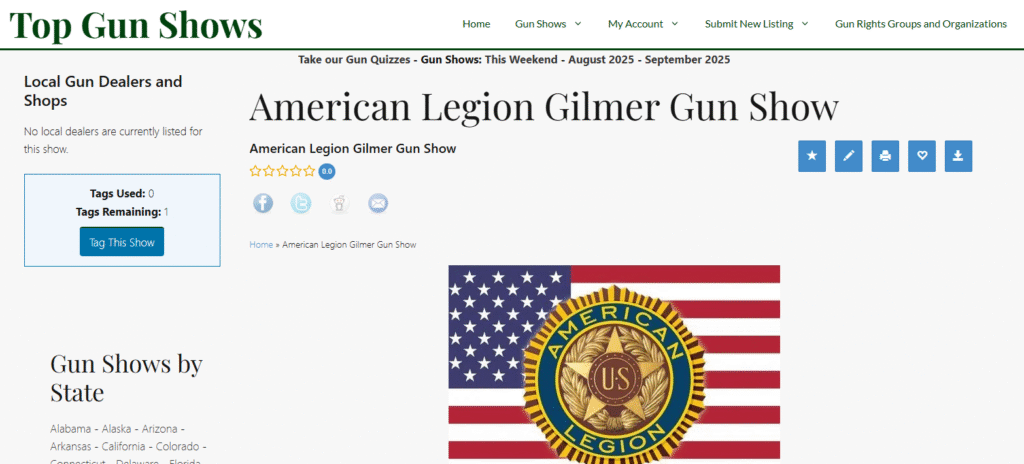
Navigate to the specific gun show page you want to tag your business to. You can find shows by browsing our listings or using the search feature on the site.
Step 2: Locate the Dealer Listing Section
On the gun show page, scroll down until you see the “Local Gun Dealers and Shops” section. This is where your listing will appear once it’s tagged.
Step 3: Check Your Tagging Status
At the bottom of the dealer list, you will see a status box that tells you what action you can take.
- If you have already tagged this show, you will see a confirmation message.GREAT YOU ALREADY TAGGED THIS SHOW
- If you have used all your available tags, it will let you know you’ve reached your limit. (Basic FFL Listings get 5 tags).YOU ARE OUT OF TAGS
- If the show is available to be tagged, you will see your current tag count and the option to tag the show.[Insert screenshot of the “Tags Used / Tags Remaining” box with the “Tag This Show” button]
Step 4: Confirm and Tag the Show
Click the “Tag This Show” button. A confirmation box will pop up in your browser.
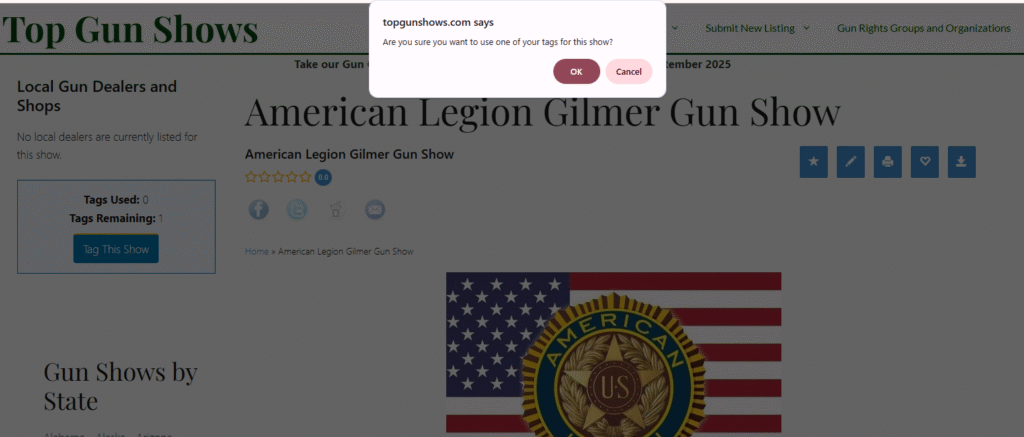
Click “OK” to use one of your available tags. The page will reload, and you will now see the “GREAT YOU ALREADY TAGGED THIS SHOW” confirmation message. Your FFL listing will now appear on this gun show’s page for all visitors to see.
Step 5: Manage Your Tagged Shows
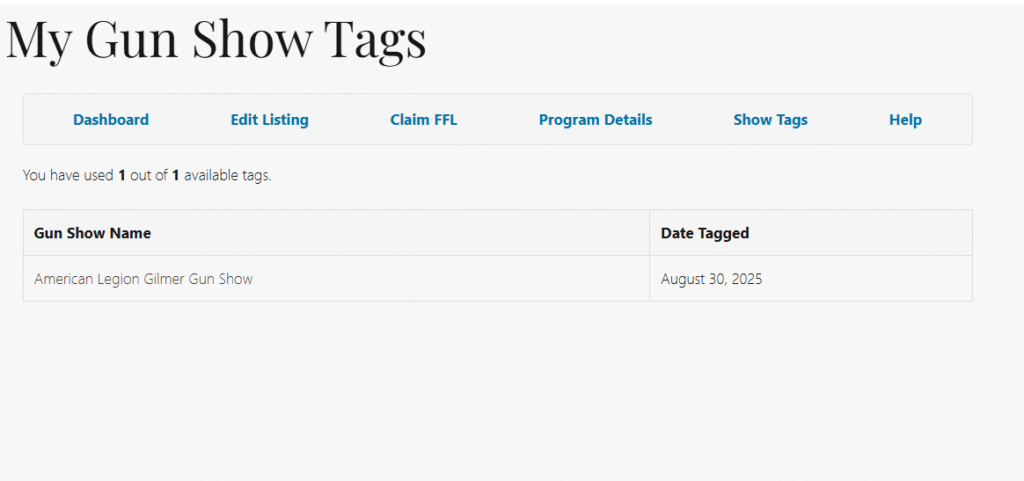
You can see a complete list of all the shows you have tagged at any time. Simply navigate to your dashboard and click on the “Show Tags” link, or go directly to the Show Tags page.
This page will show you a table of your tagged shows and the date you added each tag.
That’s it! By following these steps, you can effectively manage your gun show appearances and increase your visibility on our platform. If you have any questions, please visit our Contact Page.